If you receive a tax notice after purchasing a property due to seller PAN issues, it’s usually because their PAN is inoperative; consequently, the filed TDS (Tax Deducted at Source) is a short deduction, i.e., less than the required amount. An inoperative PAN at the time of filing TDS leads to a higher TDS rate of 20% instead of the usual 1%. Luckily, this issue can be easily resolved without needing to pay the large differential amount. In this blog, we will take you through the steps on how to respond. Read on to learn more!
Responding to Demand Notice Under Section 200A for Seller’s PAN Issues
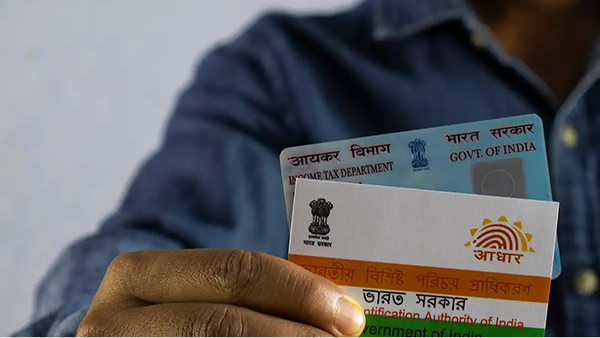
Follow these exact steps to get the additional TDS demand nullified:
Step 1: Get in Touch with the Property Seller Immediately
Contact and share the copy of the notice with the property seller right away. Inform them that this was triggered because their PAN was inoperative when the transaction was taking place. You need to explain to them that they must reactivate their PAN to allow you to reverse the demand.
Step 2: The Seller Needs to Reactivate Their PAN
The seller’s PAN issues can only be resolved by them. They should take the steps below through the Income Tax e-filing portal:
- Ask the seller to log into the portal and then complete the linking process of their PAN with Aadhaar within the required timeframe.
- The seller must pay a non-refundable late fee of ₹1,000. The linking request will be put on hold until the fee is paid.
- The process of changing the PAN status to “operative” after payment may take several days; the seller should track the progress online regularly.
- The seller has to let you know by an official communication when their PAN is linked, making it operative.
Timelines to Keep in Mind
The seller has a limited timeframe within which they can link their PAN to Aadhaar. According to Circular No. 9/2025, the liability of the 20% TDS will be removed if:
1. For amounts paid or credited from April 2024 to July 31, 2025: The PAN was made operative before September 30, 2025.
E.g.: If your property sale occurred on May 15, 2024 (within the April 1 - July 31, 2025, window) and PAN was made operative on August 20, 2025 (before the September 30, 2025, deadline), Circular 9/2025 provides complete relief.
2. For amounts paid or credited after August 1, 2025: The PAN has to be made operative within two months from the last date of the month in which the amount is paid or credited.
E.g.: If the payment transaction took place on September 10, 2025, the seller has to link their PAN and Aadhaar before November 30, 2025.
Non-compliance with the above timelines means the additional tax liability, alongside a 1% monthly interest rate until the amount is paid, will have to be borne. Navigating this scenario is complicated and can strain your equation with the seller, which is why compliance should be maintained by linking the cards as soon as possible.
Also Read: Tax Benefits on Loan Against Property: What You Can Claim
Step 3: File a Correction Statement
Once the seller’s PAN is connected within the 2-month timeframe, ensure the PAN status is “operative” via the Income Tax Portal, then take the following steps to avoid paying the additional TDS plus interest:
- Log in to the Income Tax Portal.
- Under Services, click on Rectification.
- Click ‘New Request’, and click ‘Income Tax’ under ‘Order passed under’. Enter the correct assessment year.
- Click ‘Reprocess the Return’, and then confirm it by clicking Submit.
- You’ll be redirected to a page to complete the e-verification. Fill in the correct information and submit the request.
As soon as you file the correction request and it gets reprocessed, the additional 19% demand is nullified.
Why the Tax Notice Was Issued in the First Place
Understanding the cause helps to demystify the notice. For every property sale worth ₹50 lakh or more, the buyer has to deduct 1% TDS as per Section 194-IA. When the PAN of the seller is not linked to their Aadhaar, the Income Tax Department treats it as ‘inoperative’. The higher TDS rate of 20% applies to an inoperative PAN as per Section 206AA. Consequently, your 1% deduction is treated as a “short deduction”, and the automated system raises a demand for the 19% shortfall.
You can easily avoid this issue in future property deals. Before deducting TDS, use the “Verify PAN” tool on the official Income Tax portal to check the seller’s PAN status. You should only proceed with the transaction if the status is shown as “Active and operative”.
Also Read: A Guide to Tax-Saving Options Under Section 80C
To Conclude
This notice from the income tax department for TDS is not a financial penalty you need to pay; it is a simple procedural issue. You can resolve it by making sure that the seller reactivates their PAN and files for correction on the portal. If you’re a property owner looking to leverage your asset for future needs, a Loan against Property from a trusted lender like Poonawalla Fincorp can help you get the necessary funds. Explore more on the official website and avail now with benefits like competitive interest rates, minimal documentation, flexible repayment tenure and more.
FAQs
What should I do if I receive a TDS notice for 20% on a property sale?
You should not pay the 19% tax demand; rather, promptly get in touch with the seller and demand they make their PAN operative by linking it with Aadhaar. After they verify that it is active, you need to file a correction on the TRACES or Income Tax portal to clear up the notice.
Who is responsible for the penalty if the seller’s PAN is not linked to Aadhaar?
Even though the penalty of the increased TDS and additional interest was a result of the seller’s PAN being inoperative, technically, the buyer (deductor) is to pay this amount. You may be able to explain the situation or negotiate a deal with the seller wherein they pay the amount and then get a tax refund on it, as it’s reflected on their Form 26AS.
How can a buyer verify the seller’s PAN status before a property transaction?
The seller’s PAN status can be checked through the ‘Verify PAN’ feature available on the official Income Tax e-filing portal. This very quick check should always be done prior to the deduction of TDS to guarantee that the PAN is “Active and operative” and thereby prevent any future tax notices.
We take utmost care to provide information based on internal data and reliable sources. However, this article and associated web pages provide generic information for reference purposes only. Readers must make an informed decision by reviewing the products offered and the terms and conditions. Loan disbursal is at the sole discretion of Poonawalla Fincorp.
*Terms and Conditions apply