Your CIBIL report plays an important role in credit assessment and loan approvals. If there are any inaccuracies in the information provided, such as your name or address, they may create verification challenges that could affect loan processing timelines and terms. Understanding how to correct errors in your CIBIL report can help ensure that your credit information remains accurate and support a smoother borrowing experience.
Common Name and Address Errors in a CIBIL Report
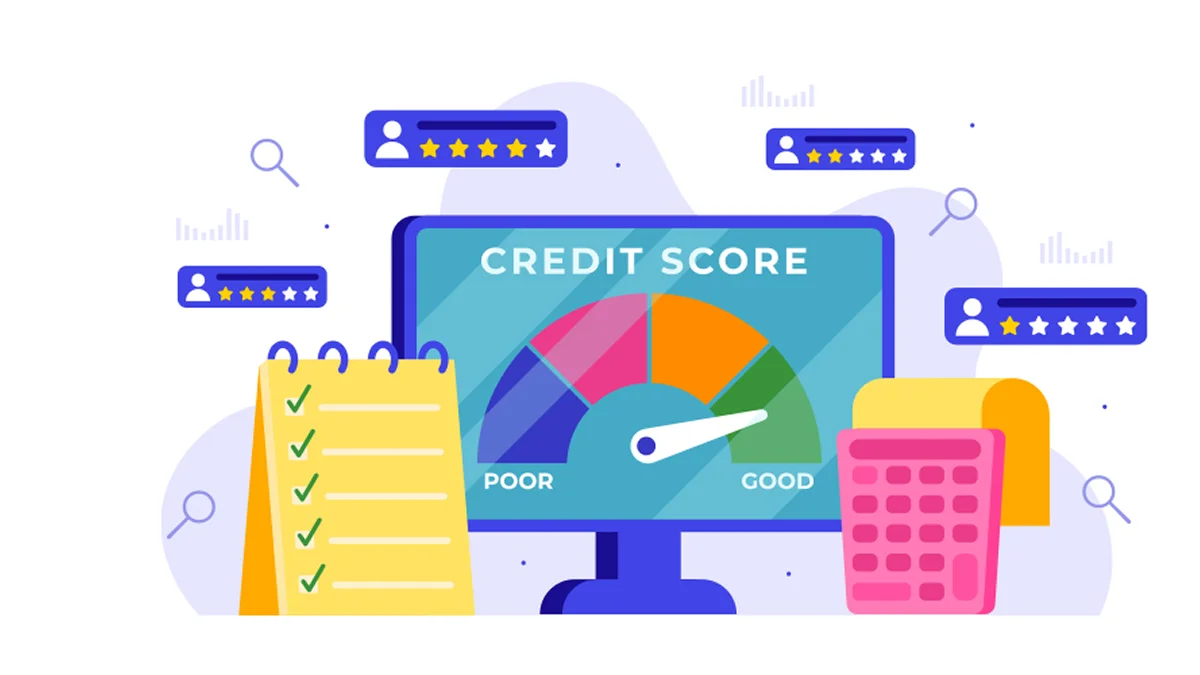
Most inaccuracies in personal information occur from records being out of date, data-entry mistakes, or differences between financial institutions.
Common name mismatches in CIBIL report:
- Spelling inaccuracies: Minor typing errors can introduce discrepancies when entering data.
- Name changes: Marriage or legal name changes are not updated with lenders.
- Initial variations: Variations in names exist between multiple forms of documentation.
- PAN mismatches: Differentiating information stored in the record as compared with that on the PAN card.
Common address errors in CIBIL report:
- Outdated addresses: Old residential addresses keep appearing.
- Incomplete information: Missing locality, city, or PIN code.
- Relocation updates: Address changes not reported to lenders.
- Multiple addresses: Different lenders reporting different records.
Other Common Personal Information Errors
The original report may also contain:
- Wrong PAN Details: Typographical errors during data entry, mixed-up records of consumers with similar names.
- Incorrect Account Details: Incorrect account reporting, such as duplicate accounts or merged account details.
- Payment Errors: Incorrect reporting of late or missed payments by the lender.
Different sources can cause errors in your CIBIL report. Being aware of these causes enables you to remain updated and take the right corrective action in a short period of time.
How to Check Your CIBIL Report Before You Rectify a CIBIL Report Error?
You should do a review and thorough investigation of your CIBIL credit report before raising a dispute to resolve an error on your report.
What Should You Verify?
- Full name and correct spelling
- Date of birth
- PAN details
- Mobile number and email address
- Home address
- Previous addresses
- Ownership of loans on file
- Credit card details
Red Flags to Look For
- Unknown addresses
- Incorrect personal data
- Duplicate loan accounts
- Unauthorised credit inquiries
- Incorrect payment history
TransUnion CIBIL gives you a free credit report every year. This is the initial process in the CIBIL report amendment.
Steps to Review Your CIBIL Report
- The steps to check your CIBIL Score and Report are very simple:
- Visit the official website of TransUnion CIBIL or their mobile app.
- Log in or create an account by entering your personal information, such as name, date of birth, PAN, mobile number, and address.
- Download your annual free credit report and review all sections carefully.
Note the Control Number printed on your report, as it may be required during the dispute process.
How to Rectify CIBIL Report Errors Quickly?
Once you identify an error in your CIBIL report, start the correction process as soon as possible.
Step 1: Download and Review Your CIBIL Report
Download your free credit report from TransUnion CIBIL and review it for errors in personal details, account details, and payment records.
Step 2: Gather Supporting Documents
Depending upon the type of correction you want to submit, you must collect supporting documentation.
|
Correction Required |
Supporting Documents |
|
Incorrect Name, Date of Birth, or Other Personal Details |
PAN Card, Passport, Aadhaar Card, or other government-issued identity proof. |
|
Incorrect Address Information |
Aadhaar Card, Utility Bill, Passport, or other valid address proof. |
|
Incorrect Loan Account Status |
Loan Closing Letter, No Dues Certificate, or account closure confirmation from the lender. |
|
Incorrect Payment History |
Payment Receipts, Bank Statements, Transaction Records, or lender-issued payment confirmations. |
|
Identity Verification Issues |
PAN Card and Passport or another government-issued identity document. |
Step 3: Raise a Dispute Online
Raise a dispute on the official TransUnion CIBIL website by submitting the dispute form with supporting documents.
Step 4: Verification by the Concerned Lender
CIBIL forwards the request to the concerned lender for verification. Lenders review and update data.
Step 5: Review the Updated Report
The correction reflects in your CIBIL report within 30 days. Review the updated report to confirm accuracy.
How Long Does the CIBIL Report Correction Process Take?
Many borrowers want to know how quickly corrections appear after raising a dispute.
|
Stage |
Expected Timeline |
|
Dispute submission |
Immediate |
|
Verification by the lender |
Varies |
|
Data update |
Usually within 30 days |
|
Final review |
After the update is complete |
What Can Delay the Process?
- Submission of a mismatched record to the lender
- Missing required documentation
- Correcting records
- Not receiving timely responses from the lender
- Submitting multiple requests to the lender for record changes
The CIBIL report correction process typically takes up to 30 days because the concerned lender needs to verify the information and update the records.
If you submit accurate documents along with your initial dispute submission, this speeds up the outcome of your dispute.
Read Also: CIBIL Login and Registration Process – A Step-by-Step Guide
To Conclude
Your CIBIL report serves as an important financial report card for credit approvals. Incorrect account information, name mismatches, and incorrect addresses are examples of common errors. These errors can impact your credit profile and can delay loan approvals if not resolved.
CIBIL report errors can be corrected through the established dispute resolution process. Regularly reviewing your CIBIL report, keeping your personal information updated, and promptly submitting the required supporting documents can help ensure the accuracy of your credit profile. Visit the Poonawalla Fincorp website to check your updated CIBIL score for free and stay informed about your credit health.
FAQs
I am unable to access my CIBIL report online. What can I do to resolve this?
If you are unable to access your CIBIL report, try logging in through the official TransUnion CIBIL website or mobile app.
How long does it take to update a CIBIL report?
Most requests for corrections are generally resolved within 30 days; however, the exact time varies depending on how long it takes the lender to verify the information.
What documents are required to update the CIBIL report information?
Some of the most common documents include a PAN Card, Aadhaar Card, Passport, utility bills, Certificate of Loan Closure and payment receipts.
Can I raise multiple disputes in one CIBIL report?
Yes, you may submit disputes that have been identified in one review process at the same time.
What can I do to resolve errors in my CIBIL report if my dispute is rejected?
If your dispute is rejected and you are still unable to access the correct information on your CIBIL report, you can email the site owner, i.e. TransUnion CIBIL, with all supporting documents.
Why have I been seeing an access error stating "Sorry, you have been blocked" while viewing my CIBIL report?
If you are unable to access the website, the action you just performed may have triggered the security solution. The page may display the Cloudflare Ray ID found and ask you to include what you were doing when this occurred.
I am unable to access my CIBIL report online. What can I do to resolve this?
If you are unable to access the website, it may be due to a temporary security check. This website is using a security service to protect itself from online attacks. There are several actions that could trigger this block, including submitting a certain word or phrase, a SQL command or malformed data.
If this page came up and the Cloudflare Ray ID found at the bottom of this page is displayed, contact the site owner to let them know what you were doing when this page came up.
We take utmost care to provide information based on internal data and reliable sources. However, this article and associated web pages provide generic information for reference purposes only. Readers must make an informed decision by reviewing the products offered and the terms and conditions. Loan disbursal is at the sole discretion of Poonawalla Fincorp.
*Terms and Conditions apply